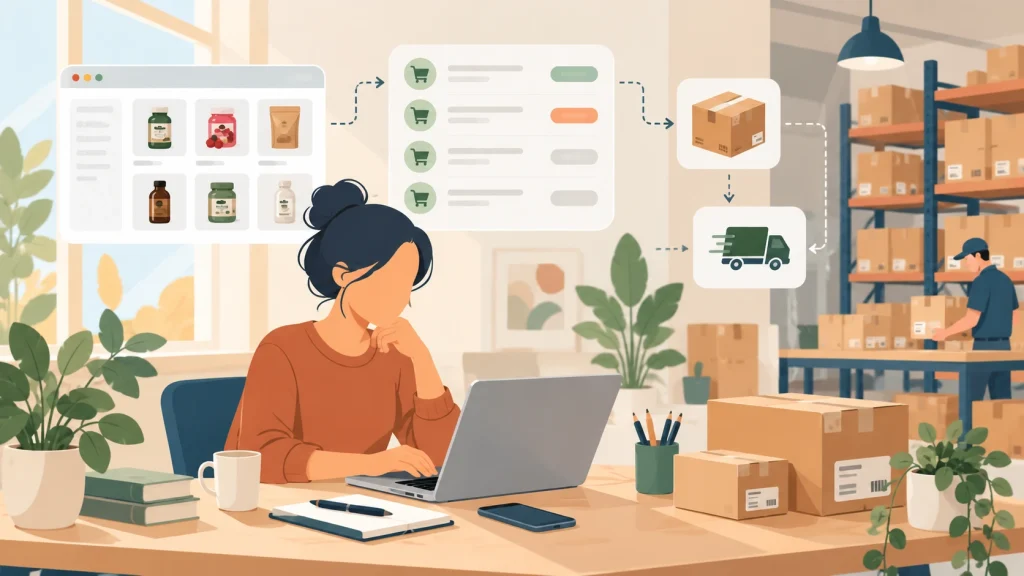
Running a dropshipping store sounds simple until the orders start coming in.
You check stock with suppliers, forward order details, follow up on fulfillment, and update tracking numbers. A few orders are easy enough to manage. But doing the same tasks dozens of times a day? That’s another story.
Automated dropshipping uses connected tools and systems to handle repetitive tasks such as syncing inventory, sending orders to suppliers, and updating tracking information.
That means less time spent on routine order management. But automation doesn’t mean everything runs on its own. Suppliers still need to fulfill orders, and someone needs to step in when something goes wrong.
So, how does automated dropshipping actually work, and what does it take to get started?
What Is Automated Dropshipping?
In a typical dropshipping setup, you sell products through your online store while a supplier handles storage and shipping. Without automation, you may need to forward orders manually, check stock availability, and enter tracking details yourself. With compatible software, some of these tasks can be handled automatically.
Take a customer ordering a backpack, for example. If your store is connected to the supplier’s system, the order details—including the product SKU, quantity, and shipping address—may be transferred without manual data entry. The supplier then prepares and ships the backpack, while tracking information can be sent back to your store once it’s available.
The key difference is that automation handles information and routine actions, while suppliers and fulfillment partners handle the physical products.
How Does Automated Dropshipping Work?
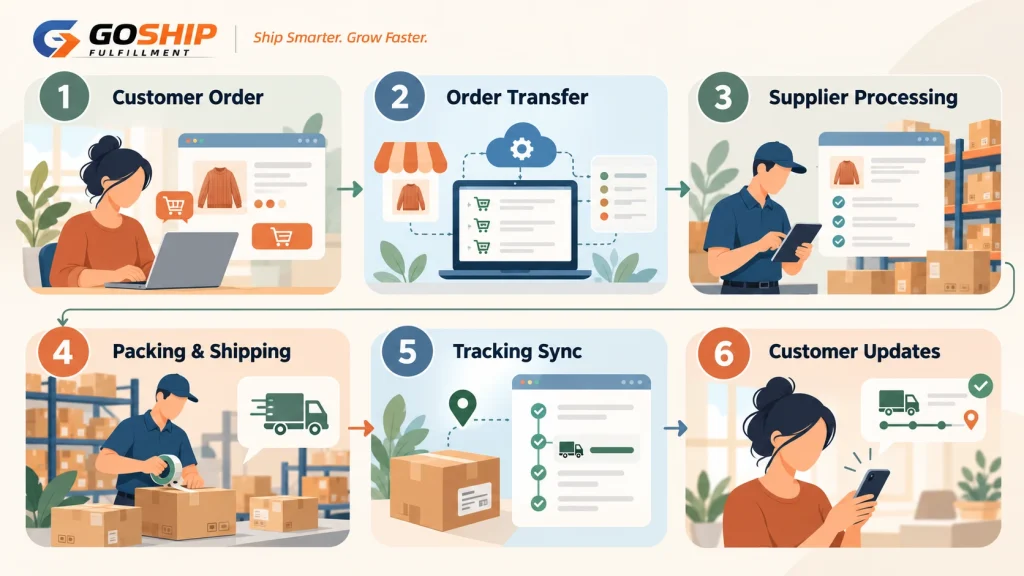
Most automated dropshipping workflows involve three main parties: your online store, an automation system, and a supplier or fulfillment partner.
Here’s how a typical order moves through the process:
- A customer places an order. Your online store records the purchased product, quantity, and delivery details.
- The order enters the connected system. Depending on the setup, the order information may be sent directly to the supplier or held for review before processing.
- The supplier processes the order. The supplier receives the details and, where required, checks stock availability, product information, and payment arrangements before fulfillment begins.
- The product is packed and shipped. The supplier or fulfillment partner picks the ordered item, prepares the packaging, and arranges dispatch through the available shipping service.
- Tracking information syncs back to your store. Once a tracking number is available, it may be transferred automatically through a supported connection.
- The customer receives shipping updates. Your store can send shipping confirmations and tracking notifications based on its notification settings.
The level of automation depends on the tools and supplier connections you’re using. Some systems mainly handle order transfers, while others also support inventory synchronization, pricing updates, and shipment tracking.
What Can You Automate in Dropshipping?
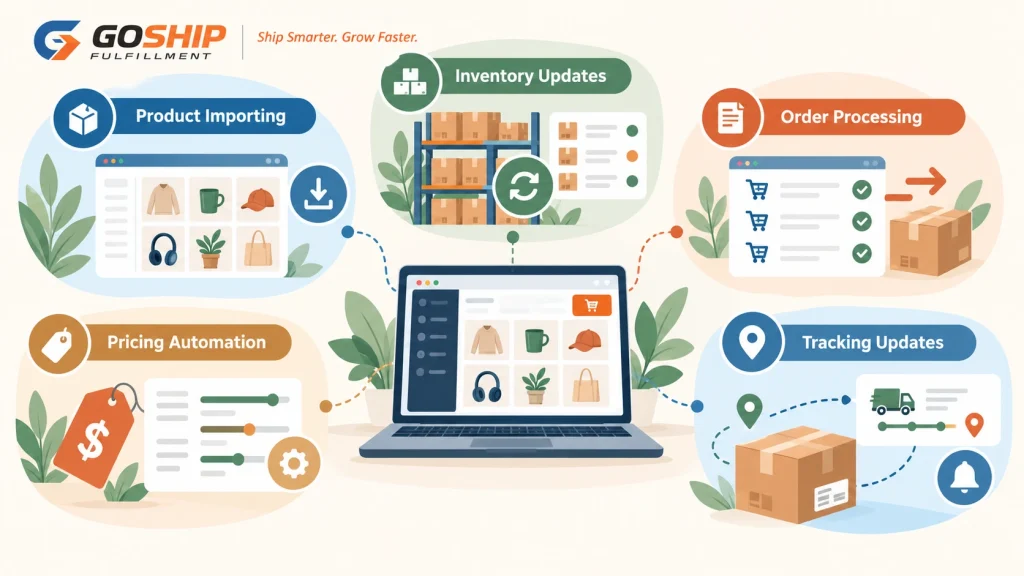
Automation can support more than just order transfers. Here are five areas where connected tools can help reduce manual work in a dropshipping store.
Product Importing
Adding products manually can take time, especially when each listing includes multiple images, descriptions, and variations.
Product importing tools can transfer supplier information into your store when the systems are compatible.
Imported listings still need reviewing. Check product specifications, make sure images match the actual products, and rewrite descriptions when the supplier’s original content doesn’t suit your customers. For new products, reviewing physical samples can also help you identify quality issues that software won’t catch.
Inventory Updates
Imagine advertising a product that’s already sold out at your supplier.
Customers may still place orders if your store hasn’t received the latest stock information. Inventory synchronization tools can help keep product availability updated using supplier data.
Some systems also offer low-stock alerts or automatically mark unavailable variants as out of stock.
But inventory updates are only as reliable as the information suppliers provide. Ask how frequently stock data is refreshed and what happens if synchronization fails.
Order Processing
Routine orders can move through a connected system with less manual input, reducing repetitive administration and the risk of data entry errors.
However, not every order should proceed without review.
An unavailable product, incorrect address, failed supplier payment, or unusual order quantity may require manual attention. Check whether your automation tool can flag these exceptions before they cause fulfillment problems.
Pricing Automation
Some tools allow sellers to set pricing rules based on supplier costs.
For example, you might apply a fixed markup or receive an alert when a supplier changes its prices.
These rules can save time, but they shouldn’t replace regular pricing reviews. Shipping costs, payment fees, and other expenses still need to be considered when setting a profitable selling price.
Tracking Updates
Tracking automation helps transfer shipment information from your supplier or fulfillment partner back to your online store.
Depending on your store settings, customers may then receive shipping notifications without you manually entering each tracking number.
Keep in mind that receiving a tracking number doesn’t necessarily mean the carrier has collected the parcel. Shipment status still needs to be monitored when delays or tracking issues occur.
How to Set Up Automated Dropshipping
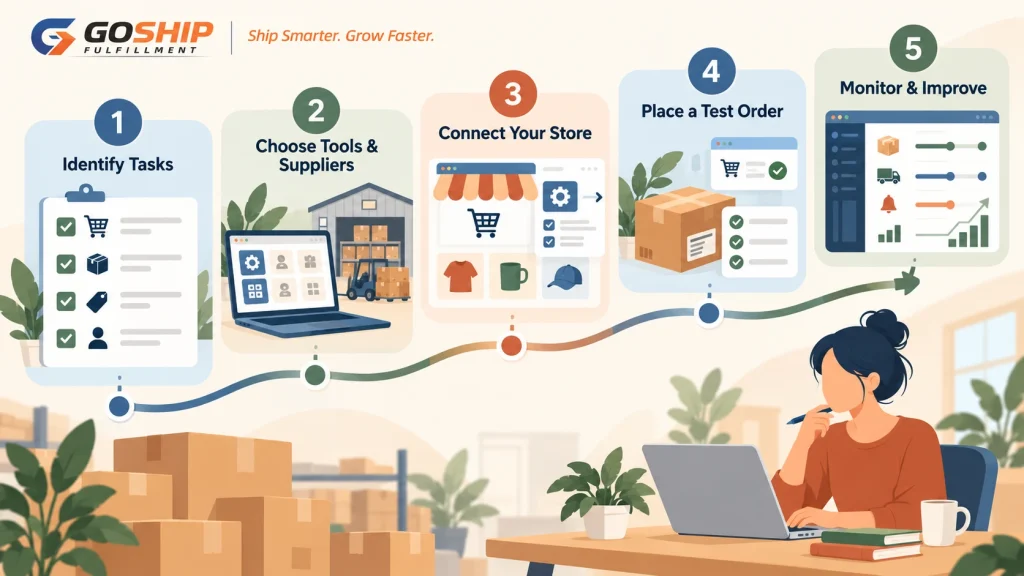
Once you know which tasks you want to automate, the next step is setting up a workflow that fits your store. You don’t need to automate everything from day one.
1. Identify Your Most Repetitive Tasks
Look at how you currently manage products and process orders.
Which tasks take the most time? Where do mistakes tend to happen?
Start with one or two tasks that would benefit most from automation. For a store with a small catalog, automating order transfers may be more useful than investing in several advanced tools immediately.
2. Choose Compatible Tools and Suppliers
Your automation software needs to work with your ecommerce platform and the suppliers you use.
Check which functions are supported, including product importing, inventory synchronization, order transfers, and tracking updates.
Not every supplier offers direct integrations. Some may support other methods of receiving orders, so ask how information will move between your systems and whether manual approval or payment is required.
Compare subscription costs, usage charges, and any integration fees before making a decision.
3. Connect Your Store and Review Product Information
Once you’ve selected a tool, follow its official instructions to connect your store.
Start with a small number of products and check that each variation matches the correct supplier SKU. A mismatch could result in customers receiving the wrong color, size, or model.
Review pricing rules and inventory settings before making the products available for purchase.
4. Place a Test Order
Before allowing orders to move through the system with minimal supervision, test the complete workflow.
Place a test order and check whether the correct product variation, quantity, and delivery address reach the supplier. Confirm that the order is processed correctly, including any required supplier payment.
Follow the order through fulfillment and check whether tracking information returns to your store as expected.
Don’t stop at a successful order, though. Test how the system handles exceptions, such as an unavailable product or an incomplete shipping address. You need to know when an order will be flagged for manual review rather than processed automatically.
5. Monitor Performance and Make Adjustments
Automation still needs regular attention, especially during the initial setup.
Review orders that fail to synchronize, outdated inventory information, and missing tracking updates. Shipping delays, damaged products, and customer complaints may also require follow-up with suppliers, carriers, or customers rather than changes to your automation settings.
Pay attention to how often orders need manual correction and whether the workflow is actually saving time.
If the same problems keep appearing, review your automation rules and supplier data before expanding the setup.
Once the process is working consistently, you can gradually automate more tasks.
Choosing Tools and a Fulfillment Partner
A reliable automation setup depends on more than the software you choose. The suppliers and fulfillment partners handling your orders matter just as much.
When comparing options, look at both the software capabilities and the physical services available.
| Automation Tools | Fulfillment Partner |
| Product and order data transfer | Product sourcing and supplier coordination, where offered |
| Inventory synchronization | Stock management and replenishment arrangements |
| Automated order routing | Picking, packing, and dispatch |
| Tracking information updates | Shipping coordination and delivery issue handling |
| Workflow rules and alerts | Agreed packaging and quality checks |
The services and connections available will vary by provider. Before making a decision, ask how orders are shared, which steps require approval, and who handles problems when something goes wrong.
For example, GoShipFulfil helps ecommerce sellers coordinate product sourcing, packaging, order fulfillment, and shipping arrangements. When discussing your requirements, clarify how your store’s orders will be received, how tracking information will be shared, and which parts of the process can be automated.
Final Thoughts: Making Automated Dropshipping Work
The right automation setup should make your daily operations easier to manage, not more complicated. What matters is choosing tools and suppliers that work well together and building a process you can rely on as your store grows.
If you’re exploring fulfillment options for your dropshipping business, contact GoShipFulfil with your product details, selling platform, and expected order volume to discuss your requirements.